
Quick answer: RPO (Recovery Point Objective) is how much data you can afford to lose, measured backward from the moment something breaks. RTO (Recovery Time Objective) is how long your site can stay down, measured forward from that same moment until visitors can use it again. For a WordPress site backed up nightly, RPO is roughly 24 hours: you could redo up to a day of orders, comments, or edits. RTO is not set by a "one-click restore" badge. It is set by how long it takes to notice the problem, decide to restore, move your files and database back onto a working server, and wait out DNS and caches. Most sites never measure either number until the day they need it.
Almost everything ranking for "RPO and RTO" is written for datacenter teams: SAN replication, failover clusters, tiered application estates. That vocabulary suits a hospital's storage cluster. It does not suit a WooCommerce store or a client's brochure site. This guide puts both terms into units a WordPress owner actually deals with: posts you would retype, orders you would re-enter, minutes your checkout stays broken. The restore timings below are worked out from file size and connection speed, so you can check the arithmetic and plug in your own numbers.
RPO and RTO: One Looks Back, One Looks Forward
Picture the moment your site breaks: a bad plugin update, a damaged wp-config.php, a host that suspends your account by mistake. Draw a line on a clock at that second. Everything to the left is RPO territory. Everything to the right is RTO territory.
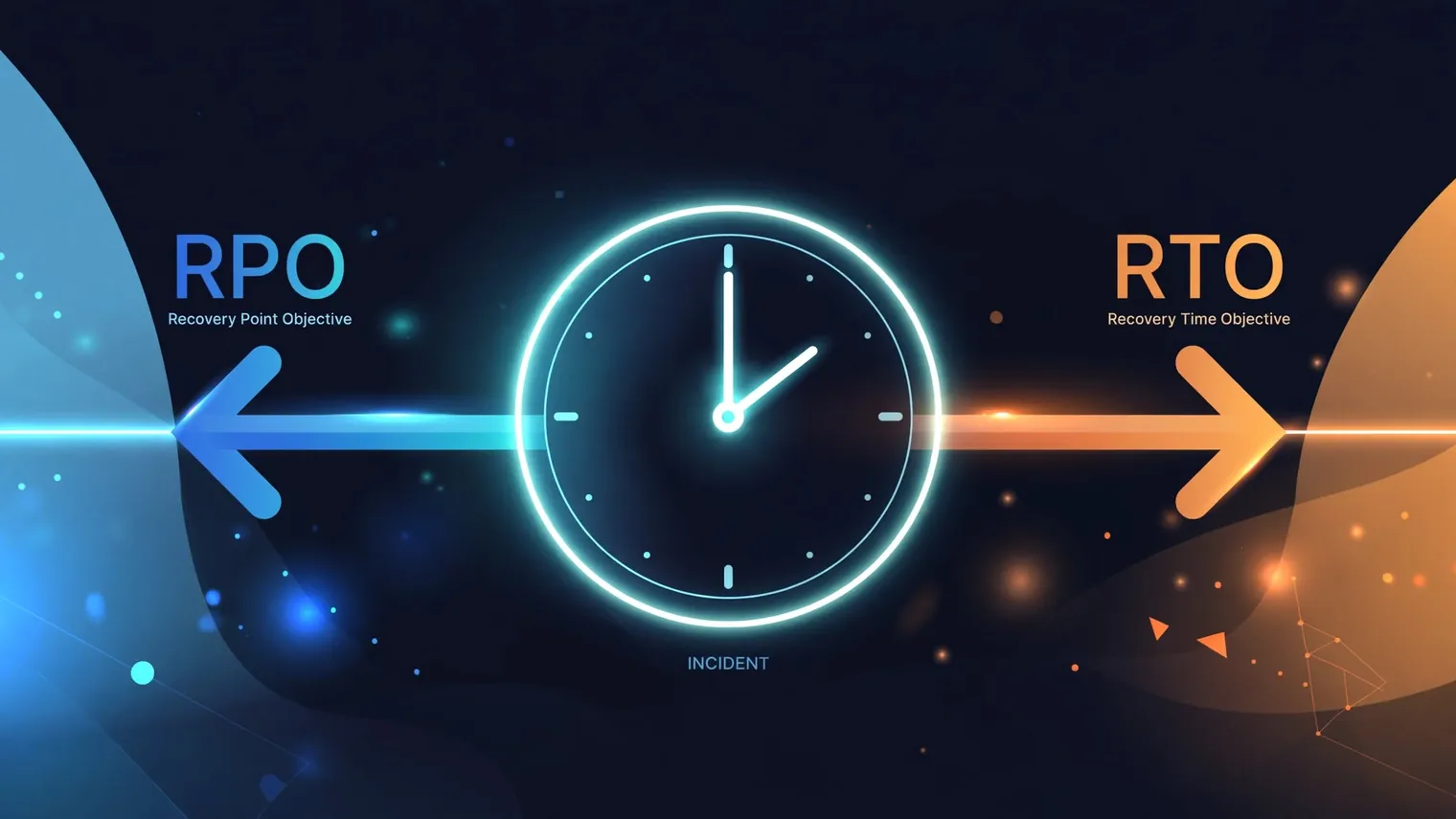
- RPO looks backward. How far back does your newest usable backup reach? If the last clean copy ran at 2 a.m. and the site broke at 5 p.m., you have lost fifteen hours of activity. Every comment, order, and edit in that window is gone unless you can rebuild it from somewhere else.
- RTO looks forward. How long, from the break, until a visitor can load the page and everything works? That includes noticing, deciding to restore instead of patching, moving the data, and waiting for DNS or a CDN to catch up.
| RPO | RTO | |
|---|---|---|
| Question it answers | How much data can I lose? | How long can I be offline? |
| Direction from the incident | Backward | Forward |
| Mostly decided by | Backup schedule, and whether backups really complete | Detection, the restore path, file size, DNS and cache |
| Improved by | More frequent backups, failure alerts, continuous capture for busy stores | Monitoring, a written runbook, a restore that does not need wp-admin, lower DNS TTL |
| What failure looks like | Lost orders, comments, and edits | A dead storefront and unhappy customers |
Because they are independent, you can have a loose RPO and a tight RTO, or the reverse. A brochure site might tolerate a day of lost edits but need to be back within an hour. Neither number has to be smaller than the other.
Neither number is really about which backup tool you picked. RPO depends on how often backups run and whether they finish. A job set for every 6 hours that fails silently twice a week gives you an RPO far worse than its label. RTO depends on file size, network speed, and how many manual steps sit between "something is wrong" and "the site is back." Veeam's explainer covers the enterprise version of the idea, and NIST's contingency-planning guide (SP 800-34) defines both terms the way federal agencies do. The terms did not come from any backup vendor. The math below is the same math at a much smaller scale.
Three Related Terms You Will Run Into
- MTD (maximum tolerable downtime) is the point where an outage starts to damage the business seriously: customers leave, a contract is breached, a campaign is wasted. Your RTO should sit comfortably inside it. If you would be in real trouble after 6 hours offline, an RTO of 5 hours is not a plan.
- WRT (work recovery time) is what happens after the site is back: re-entering lost orders, checking that payments reconciled, re-sending emails that failed. Opti9 points out that planning often skips it. On a store, it can last longer than the outage.
- MTTR (mean time to recovery) is the average of what really happened across past incidents. RTO is the target; MTTR is the measurement. If your MTTR is consistently above your RTO, the target was wishful.
RPO in WordPress Units: How Many Posts Are You Willing to Retype?
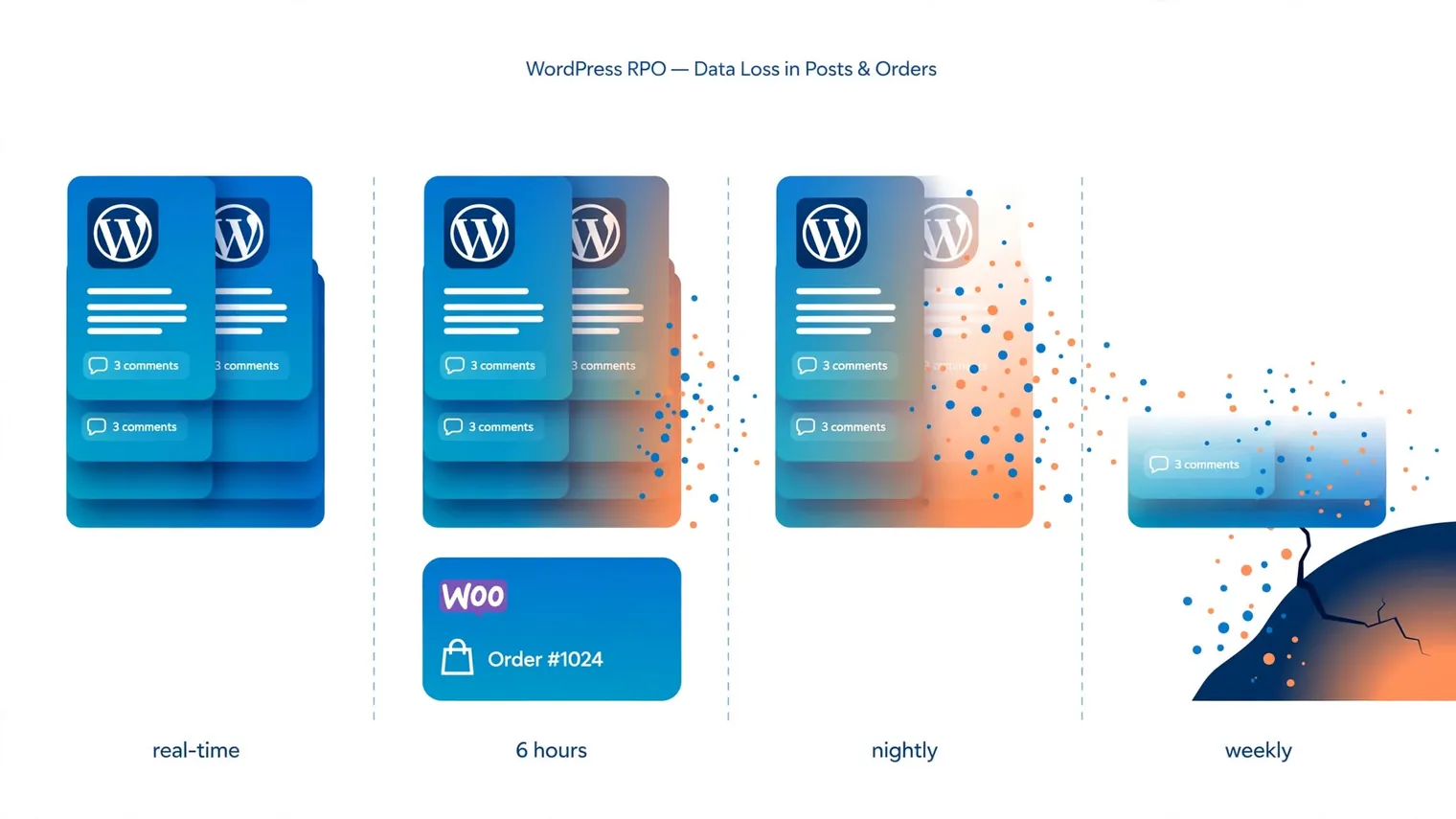
"Data loss tolerance" means nothing until you translate it. For a WordPress site it breaks into a few concrete tiers:
| Backup interval | Worst-case content lost | What that means in practice |
|---|---|---|
| Real-time / continuous | Seconds to a few minutes | Near-zero risk; for stores taking orders around the clock |
| Every 6 hours | Up to 6 hours of edits, comments, orders | A busy blog can absorb this; a checkout usually cannot |
| Nightly (once per 24h) | Up to 24 hours | Fine for a brochure site; risky for anything transactional |
| Weekly | Up to 7 days | Only defensible for near-static sites with no orders or user accounts |
Your configured interval and your achieved interval are rarely the same. A 6-hour schedule that failed the last two runs has an effective RPO of 18 hours. Unless something alerts you when a job fails, not just when one is due, you will not learn your real RPO until you need it. That is why choosing a backup frequency only solves half the problem. The other half is knowing each run completed, and on WordPress that often comes down to whether WP-Cron fired at all on a quiet week.
RPO is also two numbers, not one. Files change slowly: you upload media and update plugins now and then. The database changes constantly: every order, comment, form entry, and session. A nightly full backup gives both the same 24-hour RPO, but the database is where the loss hurts, which is why a database dump alone is not a full backup, and why a full backup needs the database captured in a consistent state.
For a store, RPO is a count of orders. A shop doing 40 orders a day sees roughly 1.7 orders per hour on average. A 24-hour RPO on that shop means up to 40 orders to rebuild, assuming customers remember them and your payment processor's records show what shipped. The processor's dashboard is your best independent record of what was paid, which is also why zero-RPO is rarely worth chasing on WordPress itself. Veeam cites targets of about 5 minutes RPO and 15 to 30 minutes RTO for enterprise checkout systems. That needs continuous replication and standby infrastructure, and most small stores get most of the benefit from hourly database backups plus the processor's own records. Our guide to backing up a store that never stops taking orders goes through the WooCommerce specifics.
RTO Has Four Phases, and Most Guides Count Only One
Most explainers reduce RTO to "how long the restore takes." That is the part vendors can benchmark and chart. In practice it is one phase of four, and the other three often add up to more. The "noticing" phase also decides how far back your backups need to reach, which is the logic behind a retention policy you can defend.

- Detect. The gap between the break and someone noticing. Without uptime monitoring this can run for hours; a customer email is not a detection system. A monitor checking every few minutes cuts this to single-digit minutes. Many uptime monitors have free tiers, so check current limits before paying for one.
- Decide. The gap between noticing and committing to a restore. Owners tend to burn time here trying to patch a broken plugin or hand-repair database tables before admitting a restore is faster. A written rule such as "if the site is down for 15 minutes and we have no clear cause, restore" removes the debate.
- Restore. Pulling files and database from storage, writing them to the server, importing the database, reconnecting the application. The sizing table below covers this phase.
- Propagate. DNS TTL expiry, CDN cache purges, and any edge cache still serving the broken version. A CDN with a one-hour cache and no purge step can turn a 12-minute restore into an hour-long outage from a visitor's side.
A plugin that advertises "one-click restore in 90 seconds" describes phase 3 only. Phases 1, 2, and 4 belong to you, your monitoring, and your hosting stack, and no backup tool shortens them for you. Opti9's guide makes the same point from the enterprise side: it reports that real restores often take about three times longer than planned once discovery, decision-making, and validation are counted. Treat that as one vendor's observation, but it matches what most people find the first time they time a real drill.
Restore Timing by Site Size: The Arithmetic
Phase 3 depends mostly on two things: how much data has to move, and how fast it moves. The table below shows the pure transfer time for three site sizes at three sustained speeds. It is plain arithmetic (size in megabits divided by speed), not a benchmark from a specific host, so it gives you a floor, not a promise.
| Site size (files + DB) | Typical site | At 50 Mbps | At 100 Mbps | At 250 Mbps |
|---|---|---|---|---|
| ~1 GB | Brochure site, few images, small DB | about 2.7 min | about 1.3 min | about 32 sec |
| ~10 GB | Active blog or small store, media-heavy | about 27 min | about 13 min | about 5 min |
| ~40 GB | Multi-year store or large media library | about 1 h 47 min | about 53 min | about 21 min |
Real restores run longer than the table, for four reasons:
- Unpacking. A large
.tar.gzhas to be decompressed and written to disk. On a slow shared-hosting CPU or disk, that can add noticeable time on top of the transfer. - Database import. Importing a SQL dump rebuilds every table and index. A store with large order, session, or log tables can take longer to import than the files take to copy. If you have a big
wp_optionsorwp_postmeta, time it once. - Distance. Pulling from storage in another region can cut your effective speed well below the link rate.
- The server's own limits. Shared hosts often throttle inbound transfers, I/O, or PHP execution, so your connection is rarely the real ceiling.
The practical use of the table: pick your row, pick your realistic speed, then add what you measure in a test restore. If the number surprises you, better to find out on a quiet Tuesday than during an outage.
Where Your Backup Lives Changes Your RTO More Than the Software Does
Two sites can run the same backup tool on the same schedule and still end up with very different RTOs. A backup stored on the same server as the live site, a common default for budget hosts' automatic backups, can meet the RPO half of the equation and do nothing for RTO if the server itself is what failed. You cannot restore from a backup that went down with the machine it was protecting. We cover what host plans typically leave out in what web-host backups actually cover.
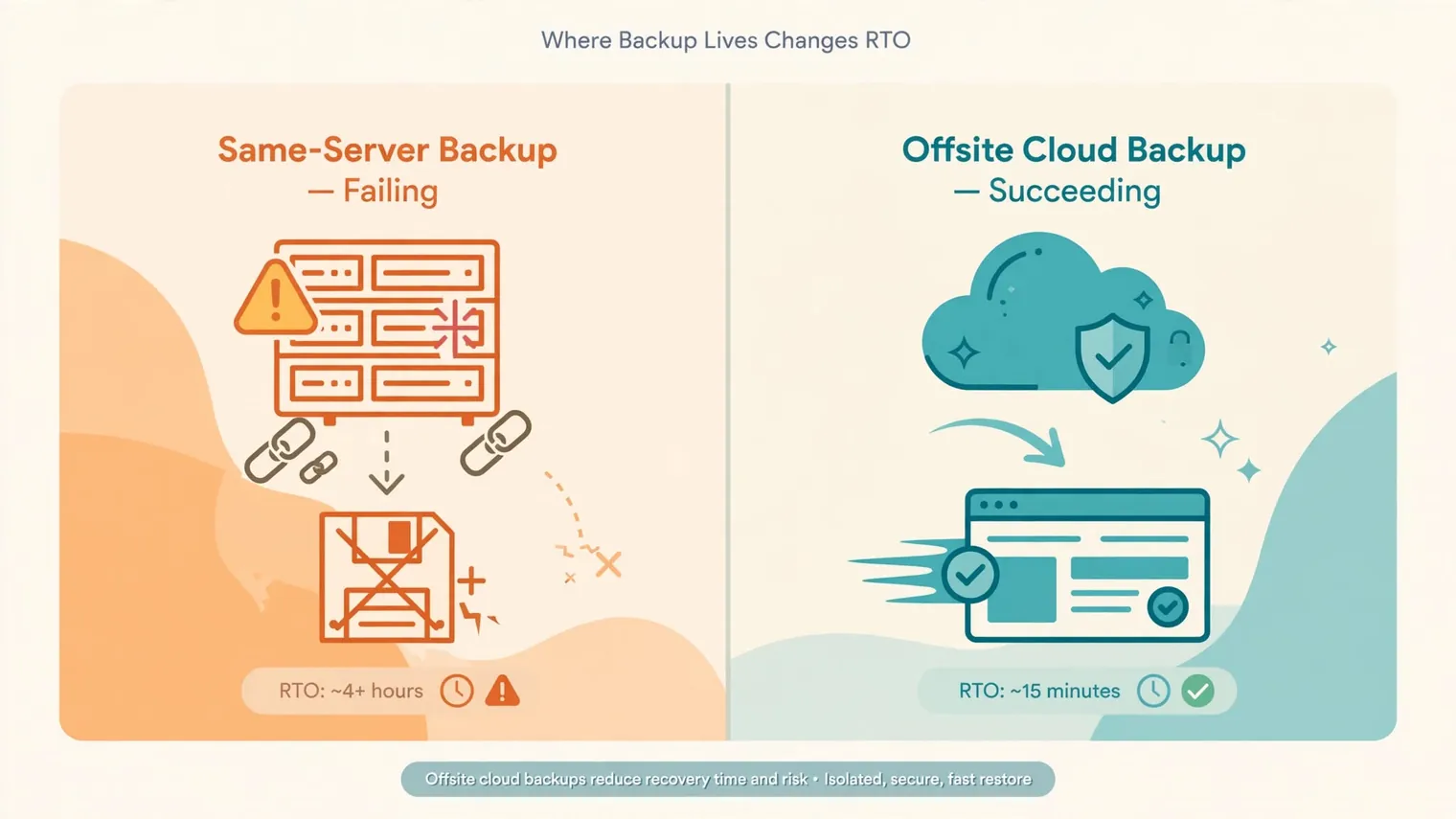
Offsite storage then splits into two practical groups:
- General cloud storage (S3-compatible buckets, Dropbox, Google Drive). Safe and offsite, but restore speed depends on that provider's download throughput and on whatever script unpacks the archive afterward. Consumer-tier storage is rarely built for fast bulk retrieval, and a sync folder is not the same thing as a backup, as we explain in why Google Drive isn't a backup.
- Dedicated offsite storage with a restore path built around getting a site back, such as a direct SSH transfer from a purpose-built recovery path. Same offsite safety, with the mechanics designed for restore speed.
A static portfolio with a 24-hour RPO tolerance does not need the second option. But a site quoting a 30-minute RTO to a client while keeping backups in generic storage with no tested restore is quoting a number it has not earned.
Why an In-WordPress Restore Can't Beat an Out-of-Band One When WordPress Is Down
A backup plugin that runs inside WordPress, such as UpdraftPlus or Jetpack Backup, needs a working WordPress to start a restore. That is fine when the problem is "undo yesterday's changes." It falls apart when the problem is the thing you need to fix: a fatal PHP error locking you out of wp-admin, a corrupted table that stops WordPress loading, or a host that has suspended the account.
If WordPress is broken, a WordPress plugin cannot restore it. You are asking a system to repair itself with the mechanism that is currently failing. In practice you reach for SSH or FTP, manually replace files until wp-admin loads, and only then use the plugin's restore screen. That detour can easily add half an hour across the decide and restore phases.
An out-of-band restore, where backups are pulled and applied over SSH or a hosting control panel independently of WordPress, avoids this. It never depends on the CMS being healthy. That is the design reason BackupYourSite runs its backup and restore path outside WordPress: the restore has to work precisely when WordPress does not.
One honest limit: BackupYourSite runs a scheduled daily backup (you pick the time per site), so an out-of-the-box RPO is up to 24 hours. That suits most blogs, brochure sites, and agency client sites. A store taking orders every few minutes should pair it with more frequent database capture or lean on its payment processor's records for the gap.
A Worked Timeline: How the Four Phases Add Up
This is an illustration built from the figures above, not a customer case. It shows how the phases stack on a typical "the site is just broken" incident, which happens far more often than a dramatic hack. Assume a 12 GB WooCommerce site, a plugin update that leaves a database table half-migrated on a Tuesday afternoon, no uptime monitor, and an out-of-band backup from 6 hours earlier.
| Time | Phase | What happens |
|---|---|---|
| 2:14 pm | Incident starts | An auto-update leaves a database table mid-migration |
| 2:14 to 3:52 pm | Detect | No uptime monitor; the owner finds out when a customer emails about a checkout error |
| 3:52 to 4:20 pm | Decide | About half an hour spent trying to repair the tables by hand in phpMyAdmin before accepting that a restore is quicker |
| 4:20 to 4:35 pm | Restore | About 15 minutes: 12 GB at a little over 100 Mbps, with the database import included |
| 4:35 to 4:48 pm | Propagate | Cache purged by hand; new visitors see the working site within roughly a quarter of an hour |
Total from incident to resolved: about 2 hours 34 minutes. The restore, the number a feature page would quote, is about 15 minutes of it. The rest comes from not noticing sooner and from hesitating. That gap is the clearest argument for treating detection and a written restore decision as part of your RTO plan. The effective RPO here is also 6 hours, the age of the last good backup, even though the site was down for under three. Plan for the whole chain, then price the fixes by the minutes they save: a monitor is cheaper than faster storage.
Starting Targets by Type of WordPress Site
Enterprise teams tier their applications: critical, important, standard. You can do the same with sites. These are starting points we suggest, not industry standards. Adjust them to what an hour offline really costs you; our downtime cost calculator gives you that figure.

| Site type | Starting RPO | Starting RTO | What it takes |
|---|---|---|---|
| Personal blog or portfolio | 24 hours | Same day | Nightly offsite backup, failure alerts |
| Brochure site that generates leads | 24 hours | 1 to 2 hours | Nightly backup, uptime monitor, written restore steps |
| Membership or community site | 4 to 6 hours | 1 to 2 hours | Database backups several times a day, tested restore |
| Active WooCommerce store | 1 hour or less for the database | 30 to 60 minutes | Frequent database capture, monitoring, rehearsed runbook, processor records as a backstop |
| Agency client sites | Whatever the contract says | Whatever the contract says | Written SLA line; see below |
Tighter targets cost more, and the cost is not linear. Moving RTO from a day to a few hours is mostly documentation and practice. Getting from hours to minutes means standby capacity. For RPO, nightly to hourly is a scheduling question, while near-zero needs continuous replication. The cheapest improvements come first: monitoring, a runbook, and failure alerts.
Restored Is Not the Same as Recovered
The clock does not stop when the files land. A restored WordPress site can load and still be unusable, so test what a visitor and an owner actually do:
- The front page and a deep page load over HTTPS without certificate or redirect errors.
- You can log in to wp-admin, and sessions persist.
- A test order or form submission goes through, including the payment gateway and its webhook back to your site. Webhook URLs and API keys often point at the old environment.
- Scheduled tasks are running again (WP-Cron or a real cron job), so emails, renewals, and backups resume.
- Outgoing email is working, because order confirmations and password resets are part of the experience.
- DNS and CDN serve the restored version everywhere, not only from your laptop.
Veeam makes the same point for larger systems: if identity, DNS, or the database are unavailable, an application can be restored and still unusable, which stretches downtime beyond the stated RTO. Define "done" as "usable," not "files copied."
Test Your Numbers Before an Incident Forces You To
Every number in this guide is a projection until you have run a restore and timed it. Most owners learn their real RTO during an actual outage, the worst moment to discover that backups have been failing for a week or that nobody remembers the hosting login. A scheduled test restore replaces those unknowns with a measured number. Once a quarter is reasonable for most sites, monthly for anything transactional. Review the targets themselves at least once a year, and again whenever the site changes shape, for example when you add a shop or a membership area.
A useful test restore checks three things at once:
- Completeness. Does the restored copy load with the database intact and media present, not just a file listing that looks right?
- Timing. How long did each of the four phases take, compared with the estimate you have been giving clients or yourself?
- Access. Does whoever would run the restore during a real incident have the credentials and know the steps, or does that live in one person's head?
Our restore drill guide turns this into a runbook you can follow. A restore that exists only as a line on a vendor's feature list is not a recovery plan. It is a hope.
Turning RPO and RTO Into an SLA Line
If you manage sites for clients, "we take backups" is not a commitment. A real line states both numbers: "RPO: 6 hours. RTO: 30 minutes for sites under 10 GB, longer for larger installs." It tells the client what they are buying and gives you a number you can be held to. Only promise what you have timed, and write down the assumptions (site size, who is on call, where backups live). If you resell backups, the white-label backup guide for agencies covers packaging that.
Tightening either number has a cost, and it is better to say so than to promise "as fast as possible":
- RPO from 24h to 6h: usually a scheduling change plus an alert on failed jobs. Low cost; the default for anything with a checkout.
- RPO from 6h to near-real-time: needs continuous or near-continuous capture, which adds storage cost and some server load on database-heavy sites. Justified mainly for active stores.
- RTO via detection: an uptime monitor checking every 1 to 5 minutes removes hours of "nobody noticed." It is the cheapest RTO improvement available and the one most sites skip.
- RTO via restore path: moving from a WordPress-dependent restore to an out-of-band SSH-based one removes the "WordPress must be working first" dependency. It is a setup change, not an ongoing cost.
- RTO via propagation: lowering DNS TTL ahead of time and keeping a documented CDN purge step costs essentially nothing and saves minutes.
Worksheet: Find Your Real Numbers
Fill in your own values, then use the last column to see which single change would help most.
| Question | Your number | Change that would roughly halve it |
|---|---|---|
| How often does a backup successfully complete? (not just how often it is scheduled) | _____ hours | Add a failure alert; fix silent job failures before shortening the schedule |
| How long would it take you to notice the site is down, without a customer telling you? | _____ minutes | Add an uptime monitor with a 1 to 5 minute check interval |
| Does your restore need wp-admin working first? | Yes / No | If yes, move to an out-of-band restore path |
| What is your total site size (files + database)? | _____ GB | Use the timing table above for your realistic restore window |
| What is your CDN or cache TTL right now? | _____ minutes | Lower it in advance and document a manual purge step |
| What does an hour offline cost you? | _____ per hour | Use it to decide how much any of the above is worth |
Run through this once and one line usually dominates your downtime. For most sites it is either "nobody noticed for two hours" or "the restore needed WordPress to be working first." Fix the dominant line before spending money tightening a number that was never the bottleneck, and if the site is being retired instead, your only recovery point is the final archive you keep before deleting the site.
Want a real RTO on paper instead of a guess? See BackupYourSite's plans and pick the tier that matches the RPO your site needs.
Frequently Asked Questions
What's a good RPO for a small WordPress blog?
For a blog with no store and infrequent posting, a 24-hour RPO (nightly backups) is usually fine. You'd lose at most a day of comments or one unpublished draft. If you publish several times a day or run an active comment section, aim for 6 hours.
What's a good RTO for a small business website?
Most small sites do fine with a few hours, but the right number comes from what an hour offline costs you, not from a benchmark. As a rough guide, a 10 GB site restores in about 15 to 30 minutes of pure transfer on a normal connection. Add detection, the decision to restore, and DNS or cache delays, and 1 to 3 hours is a realistic end-to-end figure when everything goes to plan. Without monitoring or a written runbook, expect longer.
Is RPO the same as backup frequency?
No. Backup frequency is how often a backup is scheduled. RPO is how much you would actually lose, and that depends on whether those backups complete and can be restored. A daily job that has failed silently for three days gives you an effective RPO of 72 hours, not 24.
Can RPO be longer than RTO?
Yes. They are independent settings. A brochure site might tolerate a full day of lost edits (RPO of 24 hours) but need to be back within an hour (RTO of 1 hour). The reverse also happens: a ledger that can lose nothing but can be offline overnight. Neither number has to be smaller than the other.
Can RPO be zero?
Only with continuous replication, where every write is copied somewhere else as it happens. Veeam notes that zero RPO usually needs synchronous replication and often runs into distance and latency limits. For most WordPress sites that is overkill. A scheduled backup plus a separate order record at your payment processor covers the realistic gap.
What is the difference between RTO, RPO, MTD and MTTR?
RTO and RPO are targets you set. MTD (maximum tolerable downtime) is the point at which the outage seriously damages the business, and your RTO should sit comfortably inside it. MTTR (mean time to recovery) is the average of what actually happened across past incidents, so it tells you whether you are hitting your RTO.
Why does my backup plugin say "instant restore" if RTO is really 30+ minutes?
That claim usually covers only the restore step, which is phase 3 in this guide. It leaves out the time to notice the problem, decide to restore, and wait for DNS and caches to catch up. Those surrounding phases are often the larger share of downtime.
Can I lower RTO without lowering RPO?
Yes. RTO improves through faster detection, a restore path that doesn't need WordPress to be working, and shorter DNS and cache propagation. None of that requires backing up more often.
Does my hosting provider's backup count toward my RPO and RTO plan?
Only partly. Host backups often sit on the same infrastructure as your live site, so an account suspension or a host-level failure can take both down together. Treat them as a convenience layer, not your recovery plan.
How do I measure my real RTO instead of guessing?
Run a timed test restore to a staging copy and write down the minutes for each of the four phases. Our restore drill guide walks through it. Most people find that the restore step itself is the smallest of the four.